How We Score Your Matches
We compare your answers against each SanDisk card’s strengths (device type, video level, endurance, recording pattern and transfer needs). Each good fit adds points; the top score is your “Best match”.
If you use a security camera, dash cam, doorbell camera, or local recording camera system, the memory card matters more than most people think. A regular microSD card may work at first, but continuous video recording can wear it out much faster than normal photo, phone, or gaming use.
That is where SanDisk High Endurance and SanDisk MAX Endurance cards come in. Both are designed for continuous recording, but they are not exactly the same. This guide explains the differences in a customer-friendly way so you can choose the right card for your camera, business, or security setup.
Quick answer: Choose SanDisk MAX Endurance for heavy 24/7 recording and long replacement intervals. Choose SanDisk High Endurance when you need a lower-cost endurance card or a larger 512GB option for longer video retention.
Why endurance cards matter for security cameras
Security cameras create a very different workload than phones, tablets, cameras, or gaming devices. Instead of saving files once in a while, a security camera may record video continuously, overwrite old footage, create motion clips, and run 24 hours a day.
That constant write-and-rewrite cycle wears down flash memory over time. A regular microSD card might have enough speed for video, but speed is not the same as endurance. For security cameras, the important question is not just “Can the card record video?” It is “How long can the card keep recording reliably?”
SanDisk’s own support guidance separates standard retail cards from cards designed for continuous recording. For security cameras and dash cams, SanDisk points customers toward endurance-focused cards such as High Endurance and MAX Endurance.
SanDisk High Endurance vs SanDisk MAX Endurance
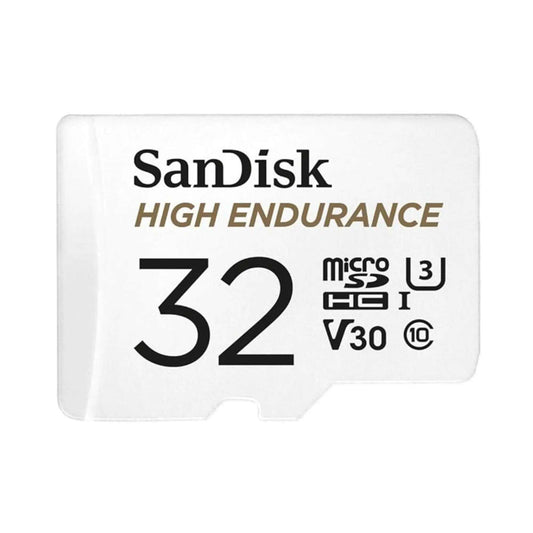
Both cards are made for video monitoring, dash cams, and home security cameras. They also share many basic speed specs. The biggest difference is recording life. MAX Endurance is built for a much longer continuous recording lifespan at the same capacity.
Feature
SanDisk High Endurance
SanDisk MAX Endurance
What it means
Best for
Everyday security cameras, dash cams, and longer storage capacity
Heavy 24/7 recording and hard-to-reach cameras
MAX is the stronger choice for maximum lifespan.
Capacity options
32GB, 64GB, 128GB, 256GB, 512GB
32GB, 64GB, 128GB, 256GB
High Endurance is the only one available up to 512GB.
Endurance rating
Up to 40,000 hours of Full HD recording
Up to 120,000 hours of Full HD recording
MAX offers much higher write endurance.
Read speed
Up to 100MB/s
Up to 100MB/s
Both are fast enough for typical security camera footage.
Write speed
Up to 40MB/s
Up to 40MB/s
Both have the same official write speed rating.
Video class
Class 10, U3, V30
Class 10, U3, V30
Both support smooth video recording in compatible cameras.
Operating temperature
-25°C to 85°C
-25°C to 85°C
Both are suitable for many indoor and outdoor camera environments.
Warranty
2-year limited warranty
Up to 15-year limited warranty depending on capacity
The longer MAX warranty reflects its higher endurance design.
Simple rule: If your camera records 24/7 and supports up to 256GB, choose MAX Endurance. If your camera supports 512GB and you want more days of stored footage, choose High Endurance 512GB.
Are SanDisk endurance cards compatible with security cameras?
In most cases, compatibility depends on the camera’s supported microSD capacity and card type. Most security cameras do not certify every exact SanDisk model. Instead, they usually tell you the maximum supported capacity, such as 128GB, 256GB, or 512GB.
Before buying, always check your camera manual or support page for:
Maximum supported microSD capacity
Whether the camera supports microSDHC or microSDXC
Recommended speed class, usually Class 10 or higher
Whether the card needs to be formatted inside the camera app
Whether local recording is in the camera, hub, base station, or NVR
Common camera brand examples
Camera brand
Typical microSD support
Buying note
Wyze
Many models support up to 256GB; some newer models support up to 512GB
MAX works well up to 256GB. High Endurance 512GB is useful only on 512GB-compatible models.
Reolink
Many models support up to 256GB; some newer models may support 512GB
Check the exact model because capacity support can vary.
TP-Link Tapo
Many models support high-capacity microSD cards, with some up to 512GB
TP-Link specifically recommends endurance cards for continuous recording.
eufy
Some models list support up to 128GB
MAX 128GB is a good choice if the camera records frequently.
EZVIZ
Some models support 256GB; some support 512GB
Use MAX for 256GB systems; use High 512GB when the model supports it.
Hikvision / Dahua
Many models support up to 256GB, depending on model and firmware
Verify the exact camera datasheet before buying.
Lorex
Often requires Class 10 cards and supports selected capacities
Check the specific Wi-Fi camera or recorder support page.
Some systems use local storage differently. Ring, Blink, and Google Nest may store footage in a hub, sync module, internal memory, or cloud system instead of directly on a camera microSD card. In those cases, make sure your specific device actually has a compatible microSD slot before buying a card.
Why not use a regular microSD card?
A regular microSD card can look attractive because it may be cheaper or advertise higher speeds. But security cameras do not only need speed. They need stable, repeated writing over long periods.
Regular consumer cards are usually designed for mixed use, such as photos, phone storage, file transfer, gaming, or short video clips. A security camera is much more demanding because it constantly writes new footage and overwrites old footage.
Possible issues with non-endurance cards include:
Recording errors
Dropped or corrupted footage
Camera not recognizing the card
Formatting problems
The card becoming read-only
Shorter card lifespan
Warranty issues if the card is used for continuous recording
A high-speed card is not always a high-endurance card. For security cameras, endurance is usually more important than peak speed.
What capacity should you choose?
The right capacity depends on your camera’s bitrate, recording mode, resolution, and how many days of footage you want to keep before old footage is overwritten.
A simple estimate is:
Required GB ≈ average bitrate in Mbps × number of days × 10.8
For example, a camera recording continuously at 4 Mbps uses about 43GB per day before adding extra space for formatting and bitrate changes.
Card capacity
2 Mbps stream
4 Mbps stream
8 Mbps stream
12 Mbps stream
32GB
About 1.5 days
About 0.7 days
About 0.4 days
About 0.2 days
64GB
About 3 days
About 1.5 days
About 0.7 days
About 0.5 days
128GB
About 6 days
About 3 days
About 1.5 days
About 1 day
256GB
About 12 days
About 6 days
About 3 days
About 2 days
512GB
About 24 days
About 12 days
About 6 days
About 4 days
These are estimates. Real recording time can be lower depending on the camera, compression settings, audio recording, motion detection, formatting, and variable bitrate.
Capacity recommendations
32GB–64GB: Better for light use, motion recording, or lower-resolution cameras.
128GB: A good middle option for many home security cameras.
256GB: Best for longer retention and 24/7 recording on compatible cameras.
512GB: Best when your camera supports it and you want the most local footage storage.
Who should use SanDisk endurance cards?
SanDisk High Endurance and MAX Endurance cards are useful anywhere video is recorded repeatedly and reliability matters.
Good for home users
Indoor security cameras
Outdoor Wi-Fi cameras
Doorbell cameras with local storage
Baby monitors with recording
Dash cams
Pet cameras
Good for businesses
Retail stores
Warehouses
Small offices
Restaurants and cafés
Parking lots
Delivery vehicles and fleets
Construction sites
Property management companies
Security installers and integrators
For small businesses, local microSD storage can be useful as backup storage if the internet goes down, if cloud recording fails, or if the camera needs to keep recording independently. For larger fleets or industrial deployments, businesses may want to consider commercial or industrial-grade video microSD cards with health monitoring and controlled product lifecycle support.
For most homes and small businesses, High Endurance and MAX Endurance are practical choices. For large security fleets, industrial sites, or mission-critical systems, commercial/industrial video cards may be the better long-term option.
Which one should you buy?
Situation
Recommended card
Why
Camera records 24/7
SanDisk MAX Endurance
Higher endurance rating and longer warranty.
Camera is hard to access
SanDisk MAX Endurance
Better choice when replacing the card is inconvenient.
You need 512GB
SanDisk High Endurance 512GB
MAX Endurance currently tops out at 256GB.
Motion-only recording
SanDisk High Endurance
Good value for lighter recording workloads.
Small business camera
MAX Endurance if 24/7; High Endurance if lighter use
Choose based on how often the camera records.
Large fleet or industrial system
Commercial or industrial video microSD
Better for health monitoring and planned replacement cycles.
Is SanDisk MAX Endurance better than High Endurance?
For heavy continuous recording, yes. MAX Endurance has a much higher recording-hour rating and a longer warranty. However, High Endurance is still a strong option for lighter use or when you need the 512GB capacity option.
Can I use SanDisk Ultra or Extreme in a security camera?
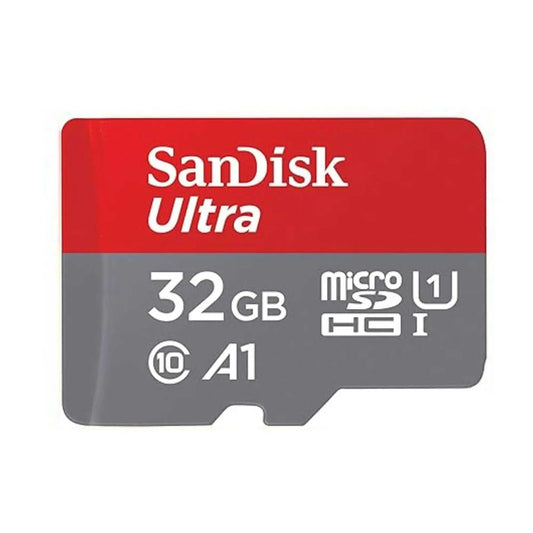
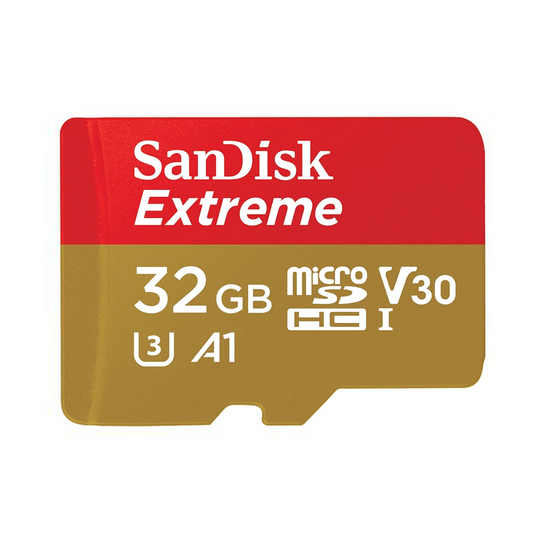
Some cameras may accept them, but they are not the best choice for continuous surveillance recording. Cards like Ultra and Extreme are generally designed for phones, cameras, action cameras, drones, or general storage. For 24/7 recording, an endurance card is a safer choice.
Does V30 mean the card is good for security cameras?
Not by itself. V30 means the card meets a video speed rating, but it does not automatically mean the card is designed for long-term continuous recording. For security cameras, endurance rating matters more.
Should I choose 128GB or 256GB?
Choose 128GB for standard home use or shorter retention. Choose 256GB if your camera records 24/7, uses higher resolution, or you want more days of footage before overwriting begins.
Should I format the card before using it?
Yes. It is usually best to format the card inside the camera or camera app. This helps the camera create the file system it expects and may reduce compatibility issues.
Is 512GB always better?
Not always. A 512GB card is only useful if your camera supports it. If your camera supports a maximum of 256GB, a 512GB card may not work properly or may not be recognized.
Final recommendation
For most customers, the choice is simple. If your security camera records all day and supports up to 256GB, choose SanDisk MAX Endurance. It is the better long-term option for continuous recording.
If your camera supports 512GB and you want more local video storage, choose SanDisk High Endurance 512GB. It gives you the larger capacity that MAX Endurance does not currently offer.
For lighter motion recording, home monitoring, or budget-conscious setups, SanDisk High Endurance is still a reliable and practical choice compared with regular consumer microSD cards.
Bottom line: Do not choose a microSD card for a security camera based on speed alone. Choose based on compatibility, capacity, endurance rating, and how often your camera records.
Discover the best memory cards and camera setups for environmental photography in Canada. Learn which storage specs matter most for wildlife photography, drones, and field recording—and how to choose reliable,...
Discover the best memory cards and camera setups for environmental photography in Canada. Learn which storage specs matter most for wildlife photography, drones, and field recording—and how to choose reliable,...
Nintendo Switch 2 introduces microSD Express, a new storage standard built on PCIe and NVMe technology. This guide explains how microSD Express works, why SanDisk microSD Express is a strong...
Nintendo Switch 2 introduces microSD Express, a new storage standard built on PCIe and NVMe technology. This guide explains how microSD Express works, why SanDisk microSD Express is a strong...
The global AI boom is fueling a severe flash-memory shortage, driving rapid price increases across SanDisk, Samsung, and Lexar SD and microSD cards. As manufacturers shift production toward high-margin AI...
The global AI boom is fueling a severe flash-memory shortage, driving rapid price increases across SanDisk, Samsung, and Lexar SD and microSD cards. As manufacturers shift production toward high-margin AI...
1 / of3
Choosing a selection results in a full page refresh.





![SanDisk microSD Express: The High-Speed Storage Upgrade Built for Nintendo Switch 2 (and Beyond) [2026]](http://www.topselect.ca/cdn/shop/articles/Blog_Covers_2_1.png?v=1774635766&width=533)
