
SanDisk SD Cards in Canada (SDHC & SDXC)
-
 Sale
SaleSanDisk Extreme PRO SDXC UHS-I SD Memory Card – U3, V30, C10, 4K UHD Compatible
Capacity: 32GB–1TBRegular price From $37.99Sale price From $37.99Unit price perSale -

SanDisk Extreme PRO SDXC UHS-II SD Memory Card – V90, U3, C10, 8K & 4K UHD Compatible
Capacity: 128GB–256GBSanDisk Extreme PRO SDXC UHS-II SD Memory Card – V90, U3, C10, 8K & 4K UHD Compatible
Capacity: 128GB–256GBRegular price From $309.39Sale price From $309.39Unit price per -

SanDisk Extreme PRO SDXC UHS-II SD Memory Card – V60, U3, 6K & 4K UHD
Capacity: 128GB–512GBSanDisk Extreme PRO SDXC UHS-II SD Memory Card – V60, U3, 6K & 4K UHD
Capacity: 128GB–512GBRegular price From $179.99Sale price From $179.99Unit price per -

SanDisk Ultra SDXC UHS-I SD Memory Card – C10, U1, Full HD Video Compatible
Capacity: 16GB–512GBSanDisk Ultra SDXC UHS-I SD Memory Card – C10, U1, Full HD Video Compatible
Capacity: 16GB–512GBRegular price From $16.99Sale price From $16.99Unit price per -

SanDisk Extreme SDXC UHS-I SD Memory Card – U3, V30, C10, 4K UHD Compatible
Capacity: 32GB–512GBSaleSanDisk Extreme SDXC UHS-I SD Memory Card – U3, V30, C10, 4K UHD Compatible
Capacity: 32GB–512GBRegular price From $31.99Sale price From $31.99Unit price perSale -

SanDisk Ultra SDHC UHS-I SD Memory Card - C10, Full HD Video Compatible
Capacity: 16GB–32GBSanDisk Ultra SDHC UHS-I SD Memory Card - C10, Full HD Video Compatible
Capacity: 16GB–32GBRegular price From $14.99Sale price From $14.99Unit price per -

SanDisk SDXC Class 4 SD Memory Card – C4, Everyday Storage Compatible
Capacity: 16GB–32GBSaleSanDisk SDXC Class 4 SD Memory Card – C4, Everyday Storage Compatible
Capacity: 16GB–32GBRegular price From $17.99Sale price From $17.99Unit price perSale -
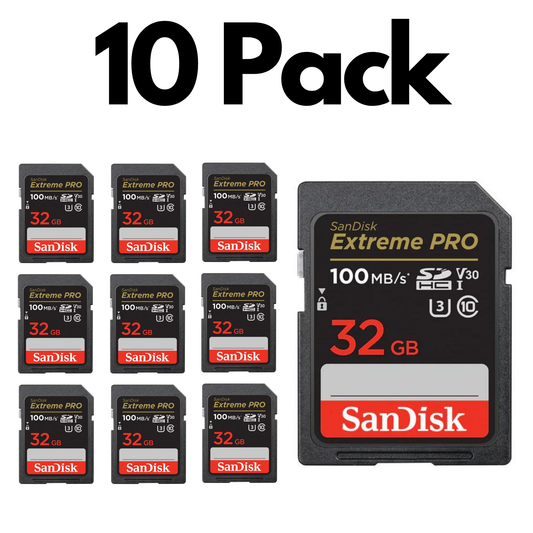
10 Pack SanDisk Extreme PRO SDXC UHS-I SD Memory Card – U3, V30, C10, 4K UHD
Capacity: 32GB–256GBSale10 Pack SanDisk Extreme PRO SDXC UHS-I SD Memory Card – U3, V30, C10, 4K UHD
Capacity: 32GB–256GBRegular price From $349.99Sale price From $349.99Unit price perSale -
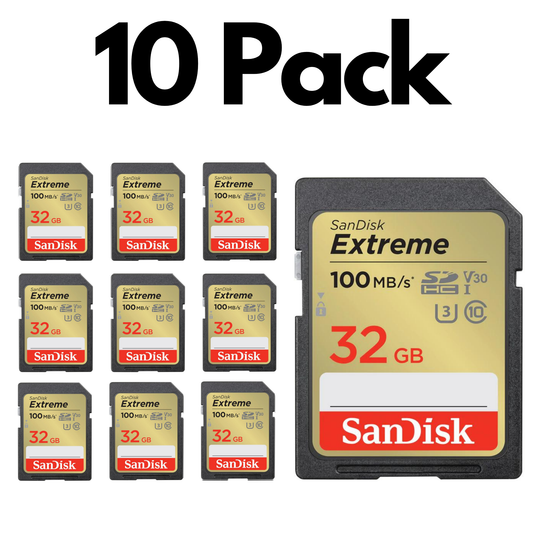
10 Pack SanDisk Extreme SDXC UHS-I SD Memory Card – U3, V30, C10, 4K UHD Compatible
Capacity: 32GB–256GBSale10 Pack SanDisk Extreme SDXC UHS-I SD Memory Card – U3, V30, C10, 4K UHD Compatible
Capacity: 32GB–256GBRegular price From $290.99Sale price From $290.99Unit price perSale -

10 Pack SanDisk Ultra SDXC UHS-I SD Memory Card – C10, U1, Full HD Video Compatible
Capacity: 16GB–256GBSale10 Pack SanDisk Ultra SDXC UHS-I SD Memory Card – C10, U1, Full HD Video Compatible
Capacity: 16GB–256GBRegular price From $142.99Sale price From $142.99Unit price perSale -
10 Pack 16 GB SanDisk SDXC Class 4 SD Memory Card – C4, Everyday Storage Compatible
Regular price $175.99Sale price $175.99Unit price per -

10 Pack SanDisk Ultra SDHC UHS-I SD Memory Card - C10, Full HD Video Compatible
Capacity: 16GB–32GBSale10 Pack SanDisk Ultra SDHC UHS-I SD Memory Card - C10, Full HD Video Compatible
Capacity: 16GB–32GBRegular price From $133.99Sale price From $133.99Unit price perSale



Trusted by Professionals & Businesses Across Canada


Shop SD Cards by Use Case
Choose SanDisk SD cards for your team, equipment setup, or workflow. Select capacity and speed based on whether you are taking photos, recording video, managing multiple cameras, or preparing cards for a classroom or organization.

Burst + RAW (DSLR / Mirrorless)
For fast continuous shooting and smoother buffer clearing.
- Target: U3 / V30 minimum
- Better: UHS-II for heavy burst workflows
- Look for: SanDisk Extreme or Extreme PRO

Everyday Photography (Best Value)
Great for travel photos, family events, and casual camera use.
- Speed: Class 10 / U1 is usually enough
- Formats: SDHC (up to 32GB) or SDXC (64GB+)
- Look for: SanDisk Ultra or reliable daily performance

4K Video Recording
Reduce dropped frames by matching video speed ratings.
- Minimum: U3 or V30 for most 4K
- Pro video: V60 / V90 (often UHS-II)
- Format: SDXC recommended for longer sessions
Compatibility + Setup (New Card)
Get your SD card ready the right way for stable performance.
- Format in-camera when possible
- FAT32 vs exFAT depends on device and capacity
- Prevents common “card error” issues
Choose an SD Card Capacity
32GB (SDHC)
See 32GB options →Learn more
64GB (SDXC)
See 64GB options →Learn more
128GB (SDXC)
See 128GB options →Learn more
256GB+ (SDXC)
See 256GB+ options →Learn more
Learn more
Shop authentic SanDisk SD cards in Canada for DSLR and mirrorless cameras, camcorders, and professional photo and video workflows. Whether you need a reliable card for everyday photography or a high-performance option for 4K video and burst shooting, choosing the right format and speed matters. Most modern cameras use SDXC (64GB+), while older devices may require SDHC (up to 32GB). For smooth recording and fewer dropped frames, match your card’s speed ratings (Class 10, U1/U3, V30/V60/V90) to your shooting needs. Not sure where to start? Use our Memory Card Finder or browse the guides below to choose the right SD card with confidence.
Choosing the Right SanDisk SD Card
What’s the difference between SDHC and SDXC?
The main difference is capacity and compatibility. SDHC typically covers 4GB–32GB, while SDXC is 64GB and up (most modern cameras support SDXC). Learn the full breakdown here: SDHC vs SDXC vs SDUC.
What SD card speed do I need for 4K video?
For most 4K recording, choose U3 or V30 minimum. For higher-bitrate pro recording, consider V60 or V90 (often UHS-II). See what the symbols mean: SD card symbols explained.
UHS-I vs UHS-II: what’s the real difference?
UHS is the “bus interface” that affects potential transfer speeds. UHS-II cards (and compatible cameras/readers) can move files much faster and are often preferred for heavy burst and pro video workflows. If your camera supports only UHS-I, a UHS-II card may still work but won’t reach full speed.
Will an SDXC card work in my older camera?
Not always. Some older cameras only support SD or SDHC. Check your camera manual/specs for SDXC support before buying, or use the Memory Card Finder to avoid compatibility issues.
Do I need to format a new SD card before using it?
It’s recommended. Formatting in-camera is often best for compatibility and stability. Follow this guide: How to format an SD card.
How do I avoid counterfeit SD cards?
Buy from reputable sellers and avoid unusually low prices. Authentic cards reduce the risk of fake capacity, data loss, and early failure. TopSelect focuses on genuine products and Canadian support.
What capacity should I choose for photos vs video?
For mostly photos, 32GB–64GB is often fine. If you shoot lots of video (especially 4K), consider 128GB+ so you don’t need to swap cards mid-session. Match capacity + speed to your workflow (U3/V30+ for 4K).
Do you offer bulk SD cards for teams or organizations?
Yes — you can shop Bulk SanDisk SD Cards (10-packs) or use the Bulk Orders section to request a quote and pricing for MOQs.