
Cartes mémoire Nintendo Switch et jeux vidéo
-
Carte mémoire microSD Express Samsung P9 Express microSDXC – Jusqu'à 800 Mo/s, U3, C10
Prix habituel Du $85.99Prix promotionnel Du $85.99Prix unitaire par -
Carte microSD Express Samsung de 256 Go, carte Micro SD pour Nintendo Switch 2
Prix habituel $85.99Prix promotionnel $85.99Prix unitaire par -
Carte mémoire SanDisk Express microSDXC pour Nintendo Switch 2 – C10, U3, 4K/8K
Prix habituel Du $79.99Prix promotionnel Du $79.99Prix unitaire par -
Nouveau!

Carte mémoire SanDisk Extreme PRO microSDXC UHS-I – Nouvelle génération avec adaptateur SD, U3, A2, C10, 4K UHD
Prix habituel Du $127.99Prix promotionnel Du $127.99Prix unitaire parEn vente -
Carte mémoire SanDisk Extreme PRO microSDXC UHS-I avec adaptateur SD – U3, A2, C10, 4K UHD
Prix habituel Du $35.99Prix promotionnel Du $35.99Prix unitaire parEn vente -
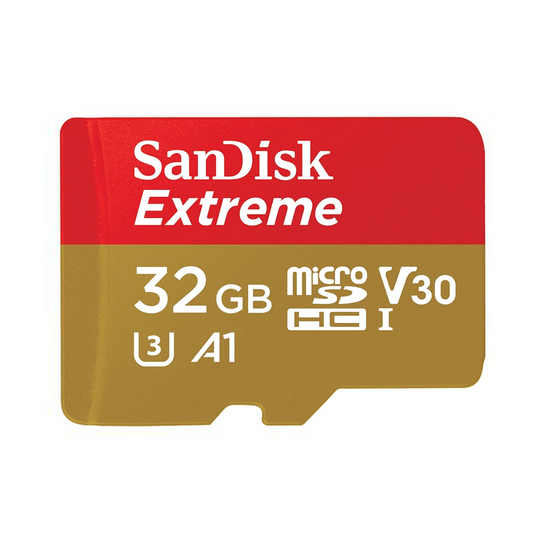
Carte mémoire SanDisk Extreme microSDHC UHS-I avec adaptateur SD – U3, A2, C10, 4K UHD
Prix habituel Du $33.99Prix promotionnel Du $33.99Prix unitaire parEn vente


Idéal selon le besoin de jeu
Faites votre choix en fonction de votre génération de console, de la taille de votre bibliothèque de jeux et de vos préférences : un bon rapport qualité-prix au quotidien, une bibliothèque numérique plus grande ou la compatibilité avec la prochaine génération de Switch 2.

Modèles de Switch Actuels — Prix Abordables
Choisissez SanDisk Ultra si vous souhaitez une extension de stockage abordable pour votre Nintendo Switch, Switch Lite ou Switch OLED.
- Idéal pour : Ultra microSDXC
- Cas d'usage : joueurs occasionnels, plus petites ludothèques
- Pourquoi : un stockage quotidien fiable à un prix plus abordable

Modèles de Switch Actuels — Des Ludothèques Numériques Plus Grandes
Choisissez le SanDisk Extreme lorsque vous voulez plus de flexibilité de stockage et une option plus polyvalente pour les téléchargements numériques et la lecture régulière.
- Meilleur ajustement : Extreme microSD
- Cas d'utilisation : jeux numériques, téléchargements réguliers, usage quotidien mixte
- Pourquoi : de meilleures performances pour de nombreux joueurs

Nintendo Switch 2 — Stockage nouvelle génération
Choisissez SanDisk microSD Express si vous achetez spécifiquement pour la Nintendo Switch 2 et que vous voulez la bonne norme de stockage pour les jeux de nouvelle génération.
- Meilleur ajustement : microSD Express
- Cas d'utilisation : Compatibilité Switch 2
- Pourquoi : une norme de stockage beaucoup plus rapide, conçue pour les nouveaux matériels.

Écoles, clubs et revendeurs
Utilisez le chemin d'accès groupé lorsque vous avez besoin de plusieurs cartes pour des laboratoires de jeux, des programmes scolaires, des ensembles-cadeaux, la revente ou des achats répétés.
- La meilleure option : un devis groupé ou un lot de 10 ?
- Cas d'utilisation : écoles, clubs de jeux, offres groupées pour la vente au détail
- Avantage : approvisionnement et prix commerciaux facilités
Choose the Right Capacity
128GB
Browse 128GB options →Learn more
256GB
Browse 256GB options →Learn more
512GB+
Browse 512GB+ options →Learn more
Switch 2
Shop Switch 2 storage →Learn more
En savoir plus
Achetez des cartes mémoire pour Nintendo Switch, Switch OLED, Switch Lite, jeux portables et mises à niveau de jeux de nouvelle génération au Canada. Cette collection vous aide à choisir le bon stockage en fonction de la génération de votre console, de la taille de votre bibliothèque de jeux et de vos besoins en matière de performances.
Pour les modèles Nintendo Switch actuels, une carte microSDXC UHS-I fiable reste le choix pratique pour étendre le stockage, télécharger plus de jeux et conserver les captures d'écran et les vidéos capturées au même endroit. Pour les achats axés sur la Nintendo Switch 2, la microSD Express est la bonne solution si vous souhaitez une compatibilité de nouvelle génération et des performances de stockage beaucoup plus rapides.
Top Select Canada propose un stockage SanDisk authentique, une expédition rapide au Canada et des conseils clairs sur les produits pour les joueurs occasionnels, les acheteurs de bibliothèques numériques, les acheteurs de cadeaux, les écoles, les clubs et les acheteurs professionnels qui ont besoin d'un stockage fiable et d'un support pour les commandes répétées.
128 Go : un bon point de départ pour la plupart des utilisateurs
256 Go : le meilleur équilibre entre stockage et flexibilité
512 Go et plus : idéal pour les grandes bibliothèques et l'utilisation intensive
Switch 2 : nécessite des cartes microSD Express
Meilleures cartes mémoire Nintendo Switch
Guide microSD Express pour Switch 2
Lire le guide complet des cartes microSD
Frequently Asked Questions
What is the best memory card for Nintendo Switch?
For most current Nintendo Switch buyers, a reliable microSDXC UHS-I card is the best balance of price, storage expansion, and everyday performance. The right capacity depends on how many digital games you install.
Do current Nintendo Switch models support microSDXC cards?
Yes. Current Nintendo Switch systems support microSDXC, and that is the recommended format for most gamers who want 64GB and above.
Does Nintendo Switch 2 need microSD Express?
Yes. If you are buying storage specifically for Nintendo Switch 2, use a microSD Express card. That is the storage path designed for Switch 2 compatibility and newer performance requirements.
Can I use my old Nintendo Switch microSD card in Switch 2?
For Switch 2, only microSD Express cards can be used to save game data, screenshots, and videos. Older microSD cards from Nintendo Switch can be used to import existing screenshots and videos, but they are not the main storage path for Switch 2 game data.
Is 256GB enough for Nintendo Switch?
For many digital buyers, yes. 256GB is a strong all-around starting point because it gives more flexibility for downloaded games, updates, screenshots, and captured video.
Will a faster memory card improve game performance?
It can help with downloads, installs, and file handling, but it should not be treated like a magic frame-rate upgrade. Reliability, compatibility, and buying the right capacity are usually more important.
Can I buy gaming memory cards in bulk for a school, club, or resale program?
Yes. If you need multiple cards for school labs, gaming clubs, kits, resale, or repeat deployments, use the bulk quote page for business pricing and support.
How can I avoid counterfeit gaming memory cards in Canada?
Buy from authorized Canadian sellers, avoid listings that look unusually cheap, and choose retailers that support warranty and post-purchase help.
- Le choix d'une sélection entraîne l'actualisation de la page entière.
- S'ouvre dans une nouvelle fenêtre.
Exclusive Volume Pricing
Enter your email to instantly access exclusive volume pricing and savings available on this product.
Need 100+ units?
Sign in to auto-fill your contact information and submit requests faster.
The more you order, the more you save. Enter your quantity below to add your order to cart at the discounted price.
| Quantity | Unit price |
|---|---|
| 10–29 units | Loading... |
| 30–59 units | Loading... |
| 60–99 units | Loading... |
| 100+ units | Custom quote |