
Stockage téléphones et tablettes : Clés USB-C et cartes microSD
-
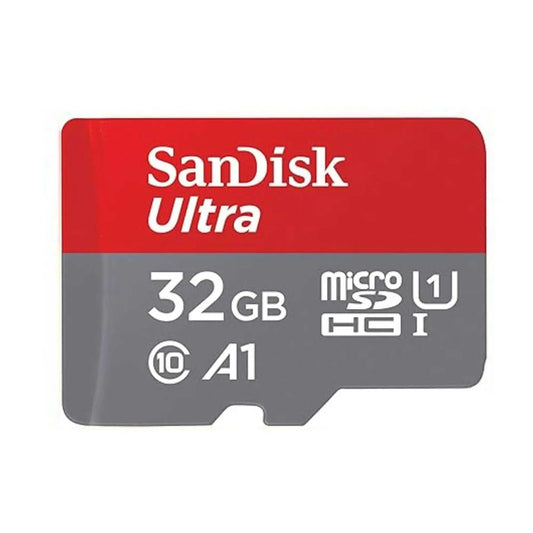
Carte mémoire SanDisk Ultra microSDXC UHS-I avec adaptateur SD – C10, A1, Full HD
Prix habituel Du $28.53Prix promotionnel Du $28.53Prix unitaire parEn vente -
SanDisk MobileMate USB 3.0, lecteur de carte microSD pour des transferts de fichiers rapides et un accès facile aux données
Prix habituel $17.38Prix promotionnel $17.38Prix unitaire par -
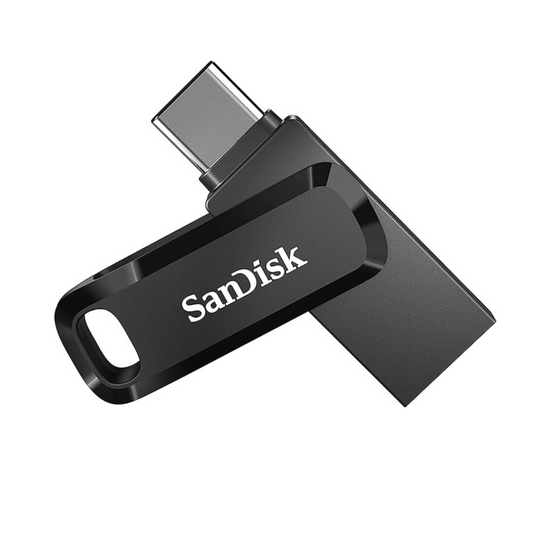
SanDisk Ultra Dual Drive Go USB Type-C, Clé USB pour Smartphones, Tablettes et Appareils USB-C
Prix habituel Du $24.45Prix promotionnel Du $24.45Prix unitaire par

Le plus adapté aux besoins mobiles
Choisissez en fonction de si vous souhaitez libérer de l'espace sur votre téléphone, transférer des fichiers entre votre téléphone et votre ordinateur portable, étendre le stockage Android pris en charge, ou acheter pour des équipes.

Sauvegarde rapide du téléphone et transferts de fichiers
Choisissez l'Ultra Dual Drive Go si vous souhaitez une clé USB-C pratique pour les sauvegardes de photos quotidiennes, le partage de fichiers et le transfert de contenu entre votre téléphone et votre ordinateur.
- Ajustement optimal : Ultra Dual Drive Go
- Cas d'utilisation : Téléphones Android, tablettes, ordinateurs portables
- Pourquoi : la simplicité d'un double connecteur pratique

Transport quotidien de qualité supérieure
Choisissez la clé USB Ultra Dual Drive Luxe si vous souhaitez la même commodité mobile, mais avec un design métallique plus haut de gamme et une utilisation flexible sur les téléphones, les tablettes et les ordinateurs.
- Meilleur ajustement : Ultra Dual Drive Luxe
- Cas d'utilisation : fichiers professionnels + personnels, voyages, transport quotidien
- Pourquoi : conception durable à double USB-C + USB-A

Augmenter le stockage sur les appareils Android pris en charge
Choisissez la carte Ultra microSD lorsque votre téléphone ou votre tablette dispose d'un logement de carte compatible et que vous souhaitez un stockage supplémentaire abordable pour les photos, les téléchargements et le contenu multimédia hors ligne.
- Idéal pour : Ultra microSDXC
- Cas d'utilisation : smartphones et tablettes Android pris en charge
- Pourquoi : une extension de stockage simple et économique

Écoles, équipes de terrain et achats répétés
Utilisez le chemin de déploiement en masse lorsque vous avez besoin d'un stockage mobile pour des salles de classe, du personnel de terrain, des kits informatiques, des kits d'intégration ou un déploiement répété auprès de plusieurs utilisateurs.
- Meilleur ajustement : disques USB-C et stockage mobile pratique
- Cas d'utilisation : écoles, équipes, personnel mobile
- Avantage : approvisionnement et prix commerciaux facilités
Choose the Right Storage for Your Device
32GB
Browse 32GB →Learn more
64GB
Browse 64GB →Learn more
128GB
Browse 128GB →Learn more
256GB+
Browse 256GB+ →Learn more
En savoir plus
Découvrez des solutions de stockage pratiques pour smartphones et tablettes au Canada — notamment des clés USB-C pour des sauvegardes et des transferts de fichiers rapides, ainsi que des cartes microSD pour les téléphones et tablettes Android compatibles. Cette collection est conçue pour les utilisateurs qui souhaitent libérer de l'espace, déplacer des photos et des vidéos plus rapidement, et conserver des fichiers importants hors ligne et facilement accessibles.
Pour de nombreux téléphones et tablettes modernes, une clé USB-C double USB-C + USB-A est l'option la plus simple, car elle permet de déplacer des fichiers entre appareils mobiles et ordinateurs sans stockage cloud ni adaptateurs supplémentaires. Pour les appareils Android compatibles avec un emplacement pour carte, la microSD reste un moyen simple et abordable d'étendre le stockage pour les photos, les vidéos, les téléchargements et les médias hors ligne.
Top Select Canada propose un stockage SanDisk authentique avec une livraison rapide au Canada, des conseils clairs sur les produits et un support adapté aux entreprises pour les écoles, les équipes mobiles, les acheteurs informatiques et les cas d'utilisation à commandes répétées.
Choisissez d'abord la connexion : les clés USB-C sont le moyen le plus simple pour de nombreux téléphones et tablettes modernes, tandis que la microSD ne fonctionne que sur les appareils dotés d'un emplacement pour carte compatible.
Pensez au flux de travail : utilisez des disques doubles pour des sauvegardes et des transferts de fichiers rapides ; utilisez la microSD pour les appareils Android pris en charge qui nécessitent une extension de stockage quotidienne.
Choisissez la capacité en fonction de l'utilisation réelle : les utilisateurs occasionnels peuvent se contenter de 64 Go à 128 Go, tandis que les grandes bibliothèques de photos/vidéos justifient souvent 256 Go ou plus.
Frequently Asked Questions
What is the best storage option for a phone or tablet?
For many modern phones and tablets, a USB-C flash drive is the easiest choice because it helps back up photos, move files quickly, and connect directly to newer devices. If your Android device has a compatible microSD slot, microSD can also be a practical and affordable way to expand storage.
Should I choose a USB-C flash drive or a microSD card?
Choose a USB-C drive when you want direct backup and file transfer between phone, tablet, and computer. Choose microSD only if your device has a compatible card slot and you want built-in storage expansion.
Do all phones support microSD cards?
No. Many newer phones do not include a microSD slot, so always check your device before buying. If your device does not support microSD, a USB-C flash drive is usually the better path.
Do USB-C flash drives work with Android phones and tablets?
Many USB-C flash drives work well with Android phones and tablets that support the right file-transfer features and OTG-style external storage use. Always confirm compatibility with your specific device before buying.
What do A1 and A2 mean on a mobile microSD card?
A1 and A2 are app performance classes. They can matter more on supported Android devices where app behavior and responsiveness are relevant, not just raw storage capacity.
Is 128GB enough for phone backup and everyday storage?
For many users, yes. 128GB is a strong starting point for photos, videos, downloads, and everyday backup. Heavier media users may prefer 256GB or more.
Can I use the same drive with my phone and laptop?
Yes, that is one of the main benefits of dual USB-C + USB-A drives. They are built to move files between mobile devices and traditional computers more easily.
Can I buy phone and tablet storage in bulk for a school or team?
Yes. If you need multiple USB-C drives or mobile storage products for schools, IT kits, onboarding packs, or repeat deployments, use the bulk quote page for business pricing and support.
- Le choix d'une sélection entraîne l'actualisation de la page entière.
- S'ouvre dans une nouvelle fenêtre.
Exclusive Volume Pricing
Enter your email to instantly access exclusive volume pricing and savings available on this product.
Need 100+ units?
Sign in to auto-fill your contact information and submit requests faster.
The more you order, the more you save. Enter your quantity below to add your order to cart at the discounted price.
| Quantity | Unit price |
|---|---|
| 10–29 units | Loading... |
| 30–59 units | Loading... |
| 60–99 units | Loading... |
| 100+ units | Custom quote |